Simple player controls
Board features play, pause, next video, back, louder, softer, captions, and full screen.
Browser extension for YouTube™
Allows AAC and switch users to access YouTube more independently through scanning, simple buttons, and other features.
For Chrome and Safari. Also works in Edge, Brave, Opera and Vivaldi through the Chrome Web Store.
Made for AAC users, this extension transforms YouTube controls into a simple topic board.
Board features play, pause, next video, back, louder, softer, captions, and full screen.
Optional feature automatically scans through videos on home and search page, allowing users to select their desired video by tapping anywhere on the screen, or by pressing Enter or Space. On the video page, scanning moves through the control board.
Button names, letters and video titles are read out loud, so the user always knows what is selected.
Large letter keys in QWERTY or ABC order, with word suggestions to make searching faster.
Comments, Shorts, recommendations and autoplay are hidden to reduce distractions and overstimulation.
The NEXT button plays the next video from the user's search results and not from YouTube's suggestions. This keeps viewing focused on what the user searched for, instead of automatic suggestions.
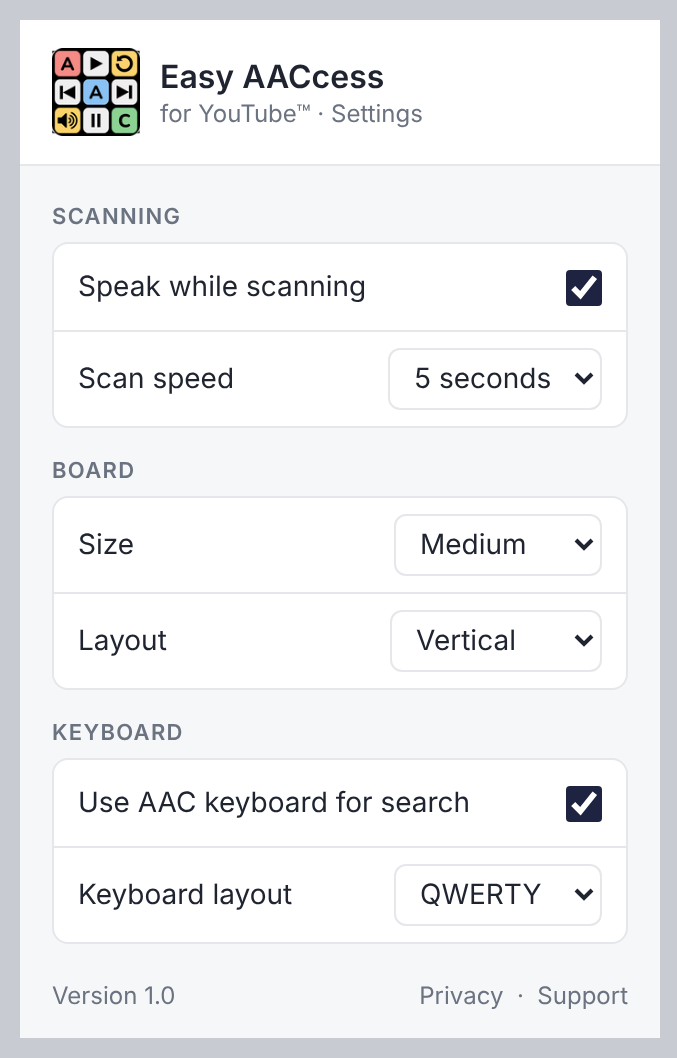
Everything can be adjusted to the user's preferences from the extension's settings menu, which can be opened directly from the browser toolbar. Changes apply straight away and are saved for future use.
Setting up takes a couple of minutes and needs no account.
Add Easy AACcess to Chrome or Safari from their respective stores.
Go to youtube.com. The board appears next to the page and can be moved to either side.
Click the Easy AACcess icon in the toolbar to set the scan speed, board size, and keyboard.